LoRAs and embeddings
Two kinds of small add-on file change what a model draws without replacing it.
LoRAs
A LoRA is a small adapter (usually tens to hundreds of MB) that teaches a model a style, a character or a concept. In Nightmare, LoRAs work on FLUX.2, Z-Image and SD 1.5 Swap (an SD 1.5 checkpoint converted in npuforge as SD1.5 Swap).
Import
Settings → Add-ons → LoRAs → Import, and pick the .safetensors file. It is listed with
its size; the bin deletes it.
Use
- Tap a FLUX.2, Z-Image or SD 1.5 Swap generator node.
- Under LoRAs, tick the ones you want — a checkbox per installed file.
- Set each one's strength with its slider (1.0 is the adapter's full effect).
- Run.
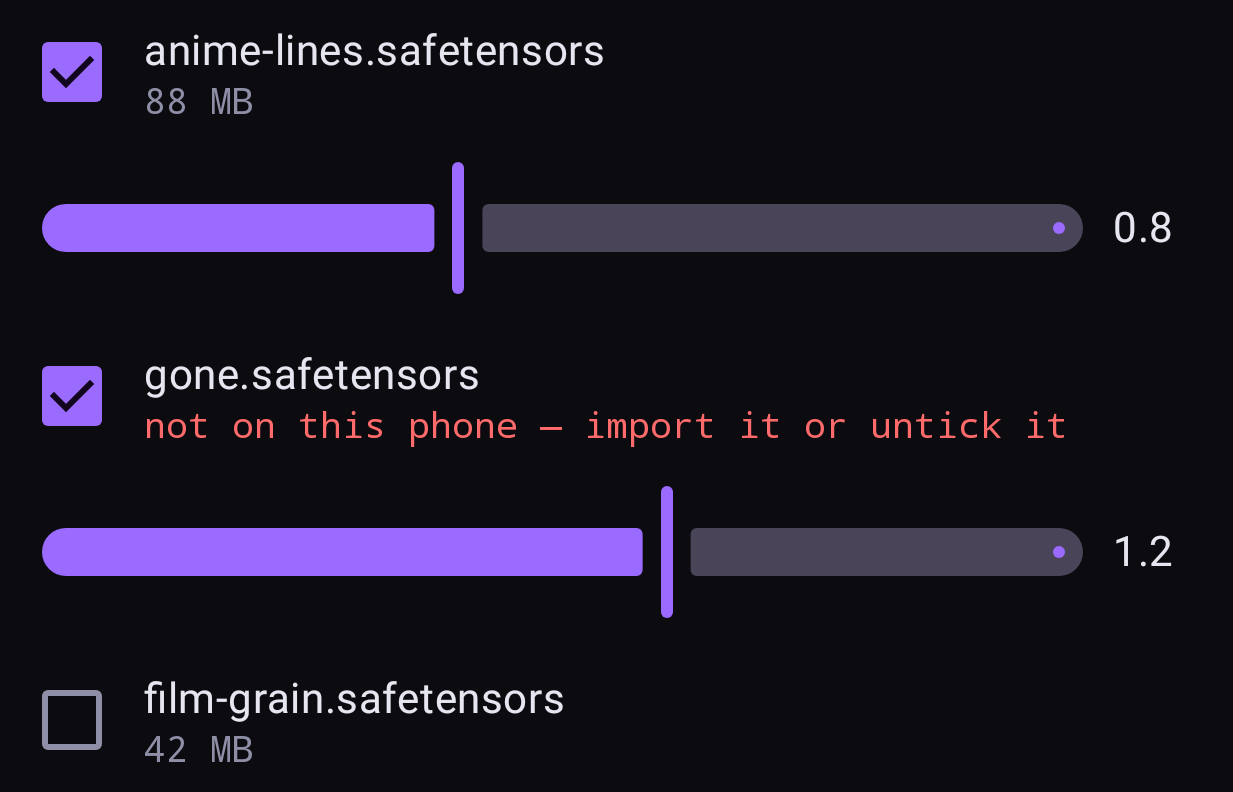
You can stack as many as you like. A LoRA is applied when the render starts, so switching one on or off, or moving its slider, reloads nothing. It does cost render time, in proportion to its size: about 6% for a typical FLUX.2 adapter, around 40% for a large Z-Image one.
If the LoRA's description names a trigger word, put that word in your prompt.
On SD 1.5 Swap
An SD 1.5 Swap model has room for ONE rank-64 adapter per layer, so the LoRAs you tick are merged into it on the phone the first time that mix is used — about 10 s for one large LoRA, 25 s for two — and kept for next time. With a single LoRA the strength slider is free; changing the strengths of several makes a new merge. A LoRA trained above rank 64 is reduced to its best rank-64 version. Only the part of a LoRA that changes the image model applies; the part trained into the text encoder does not (true of every NPU conversion).
Embeddings
An embedding (textual inversion) is a tiny file holding one trained concept — often a style, or a "negative" such as a quality fix.
Settings → Add-ons → Embeddings → Import, pick the .safetensors, and then name it in
a prompt (or the negative prompt) to use it.